




magento
Magento 2 Migration for Multi-Site Global Stores: A Practical Guide
Meghna Vinod|Mar 25, 2026|Read 7 Min



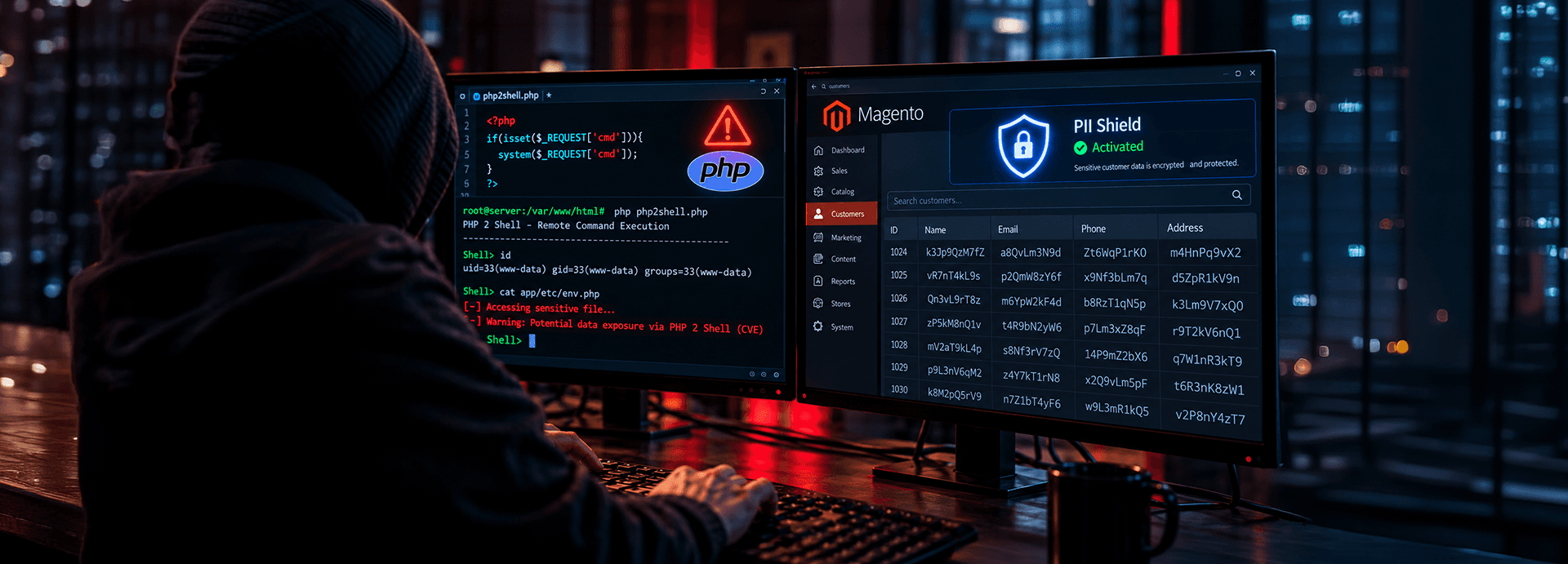
On 21 October 2026, PHP released emergency fixes for two critical vulnerabilities, CVE-2026-109618 and CVE-2026-109619, known together as PHP2Shell. For Magento merchants, PHP2Shell Magento exposure is a self-hosting problem: on Magento Open Source, nobody patches PHP for you. On older versions, there may be no official patch at all.
Here's how to stabilize the store, check what got in, and turn the fix into an upgrade.
PHP2Shell is a pair of use-after-free (a memory bug where software keeps using memory after releasing it, letting an attacker place their own data there) flaws in the PHP runtime, both rated CVSS 9.2 (Critical). They allow remote code execution (an attacker runs their own commands on your server from the internet) without a login. Because PHP handles each request before Magento’s code runs, no Magento patch fixes it, and even maintenance mode doesn’t protect the store.
Amazon's honeypots recorded an exploit attempt on 17 October, four days before the fix. No breach had been publicly confirmed at the time of writing this blog, which doesn't necessarily mean none happened.
Magento Open Source is self-hosted, so PHP, the server and its security are your responsibility, or your host's.
Your DevOps team owns the updates, worker restarts and verification in every environment.
Do not assume it's done. Ask for written confirmation of the PHP version now serving your store, and whether staging was patched too.
This is the most exposed position. Stores that changed agencies or hosts often inherit servers nobody fully documented.
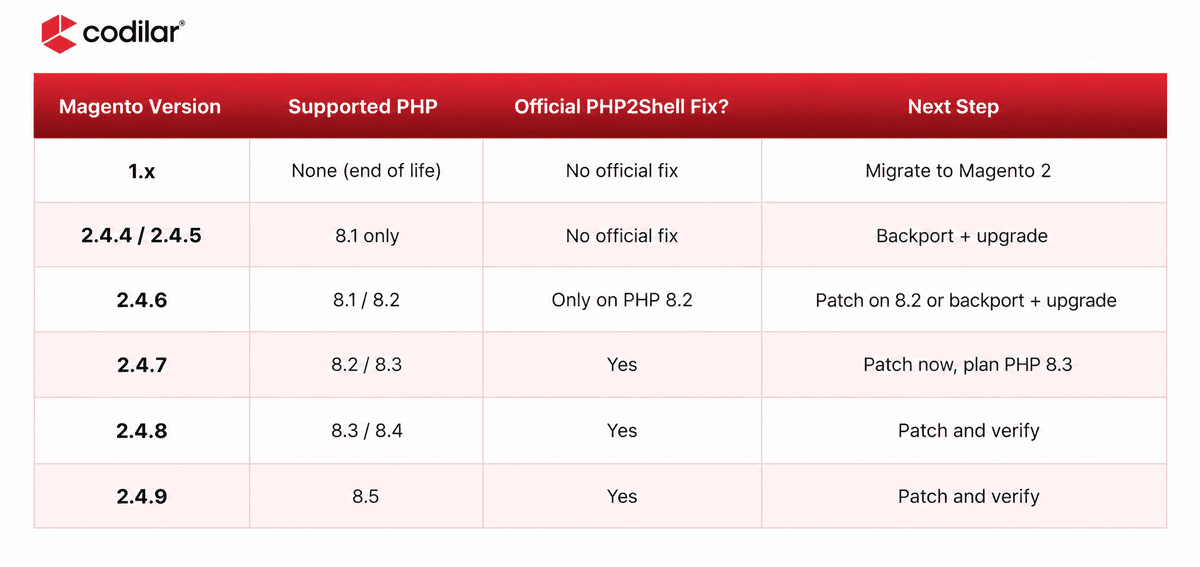
Your Magento version decides your options. Stores on 1.x, 2.4.4, 2.4.5 and 2.4.6 running PHP 8.1 come first this week. A backport secures them for now, and only an upgrade brings back regular patch coverage.
PHP shipped fixes only for 8.2 and newer. PHP 8.1 and older get no official release, just source backports someone has to compile and test. Per Adobe's system requirements: Magento Open Source 2.4.4 to 2.4.6 have also reached end of support, with no extended-support option. The short-term answer is to secure the store within its current PHP version through a tested backport and hardening. The lasting answer is an upgrade.
Magento 1 reached end of life in June 2020, and most remaining stores run PHP 7.x or older. PHP 7.3 and earlier have no fix of any kind, so the plan is containment now and migration to Magento 2 next.
Check through the web server. The command-line binary often differs from the one serving pages. Check every environment, including staging.
Move to 8.5.12, 8.4.27, 8.3.36 or 8.2.35, or a tested backport on PHP 8.1. Restart PHP-FPM or Apache, because running workers keep old code in memory.
Temporary measures, in order of strength
What doesn't count as containment
Maintenance mode, hiding errors or relying on a WAF alone. Attackers are already adapting payloads to slip past WAF rules.
Check checkout, payments, search, ERP sync, cron and admin uploads. Extensions written for older PHP usually cause any breakage.
Patching doesn't remove what got in first. Review activity from 17 October for:
Rotate database passwords, admin passwords, integration tokens and payment gateway API keys used during the exposure window.
PCI DSS v4.0.1 requirements 6.4.3 and 11.6.1 already require you to authorize every checkout script and detect unauthorized changes to them. Check the Security Issues report in Google Search Console for hacked-content warnings. If spam pages have hurt your rankings, our SEO team can help you recover them.
In standard Magento 2, payment credentials are encrypted and passwords hashed, but customer names, emails, phone numbers and addresses sit in plain text. A leaked backup, stolen credentials or insider export exposes all of it.
PII Shield, our extension for Magento 2, adds field-level encryption (encrypting individual sensitive fields, such as a name or an email address, inside the database) to limit that damage:
PII Shield does not replace patching. If someone copies your database, they get encrypted records that stay unreadable without the keys.
Start with a free PHP2Shell Exposure Check, run read-only and with your written consent, with findings in 48 hours. Where action is needed, we patch PHP or secure the store within its current PHP version, targeting 48 hours for standard environments.
Skimmer and compromise sweep, credential rotation, custom hardening and SEO clean-up.
A Magento upgrade to 2.4.8 or 2.4.9 on supported PHP, ideally with a Hyvä frontend in the same project, unmaintained extensions removed, PII Shield, and hosting and DevOps that ship the next patch in hours.
The stores that recover fastest from incidents like this aren't the best-defended. They're the ones that can upgrade without fear.❞

Shahed Jamal | Practice Head - Adobe Commerce
Self-hosted Magento brings full control and full responsibility for the layers beneath the store. Stabilize PHP, prove nothing got in, protect customer data, and get back onto a supported version. Book the Free Check now!
On another PHP platform? Read our guides for Adobe Commerce, Pimcore and custom PHP commerce.
No. PHP2Shell is in the PHP runtime, which processes requests before Magento code runs. You need PHP 8.5.12, 8.4.27, 8.3.36 or 8.2.35, or a vendor backport for older versions, then a restart of every PHP worker.
Yes, like every Magento version. Stores on 2.4.6 with PHP 8.2 can install the official fix. Stores on 2.4.6 with PHP 8.1 have no official release and need a tested backport. Because 2.4.6 has also reached the end of support, plan an upgrade to 2.4.8 or 2.4.9.
No. PHP parses each incoming request before Magento checks the maintenance flag, so the vulnerability is still reachable. If you can't patch immediately, take the store offline by stopping PHP-FPM and serving a static page until the patched PHP version is in place.
Most Magento 1 stores run PHP versions with no PHP2Shell fix. Contain the risk now by restricting access, tightening WAF rules and monitoring closely, or take the store offline. Then plan a migration to Magento 2.
Review activity from 17 October for new admin users, scripts injected into core_config_data or CMS blocks, unknown PHP files in pub/, changes to env.php and odd cron jobs. Rotate credentials and treat anything unfamiliar as an incident.

Get tailored technology solutions to scale your retail business online
Request A Quote

Stay ahead with insights, trends, and brand success stories from the world of Digital Commerce.


