




General
eCommerce Website Development for Pet Care Brands in the UAE
Aakash Ashok|Oct 16, 2026|Read 8 Min



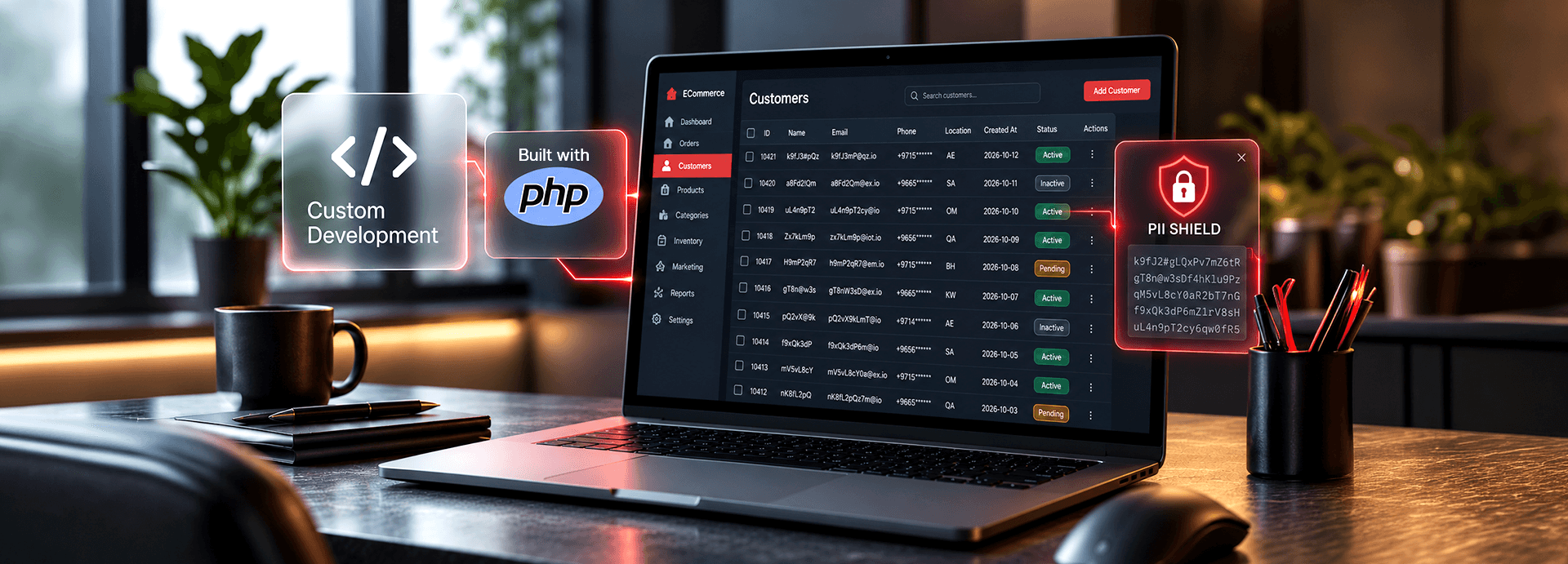
On 21 October 2026, PHP released emergency fixes for CVE-2026-109618 and CVE-2026-109619, two critical flaws known as PHP2Shell. Platform owners on Magento or Adobe Commerce at least know where their PHP lives. On a custom stack, the PHP2Shell custom PHP problem starts with a harder question: how many PHP runtimes do you actually run?
The storefront may be modern JavaScript while the order API, B2B portal, ERP connector and admin tools still run PHP. Here's how to find, patch, and check them, and decide what comes next.
PHP2Shell involves two use-after-free flaws in the PHP runtime, both rated CVSS 9.2 (Critical). Researchers have demonstrated remote code execution, arbitrary file reads, and memory leaks, all without requiring a login.
For businesses running custom PHP commerce platforms, this creates an urgent security concern. The risk can be harder to manage when the platform has evolved over several years, multiple teams have worked on the code, or parts of the system are no longer actively maintained.
There are three common reasons these platforms are particularly vulnerable:
Before applying a fix, identify every PHP installation that serves web requests. This includes systems that run PHP-FPM, Apache mod_php, php-cgi, FrankenPHP, or LiteSpeed.
Looking at the main storefront alone is not enough. PHP may also run behind applications and services that customers rarely see, but that still handle sensitive data or business operations.
Include your storefront, checkout, customer account area, B2B ordering portal, and marketing microsites. Each application needs to be checked for the PHP version it actually runs on.
Review order, pricing, and inventory APIs, payment callbacks, and the middleware connecting your commerce platform to ERP, PIM, OMS, and logistics systems.
These services often exchange business-critical information and may operate independently of the main storefront.
Admin panels, reporting dashboards, catalog upload tools, and older utilities also belong in your inventory. An application that is rarely used can still be exposed if it remains accessible.
Check every container image built on a PHP base image. A container retains the PHP version included when its image was built, so updating the host server does not automatically update the PHP runtime inside a running container.
The goal is to build a complete inventory before patching. Otherwise, an overlooked API, internal tool, or container could remain vulnerable even after the main application has been updated.
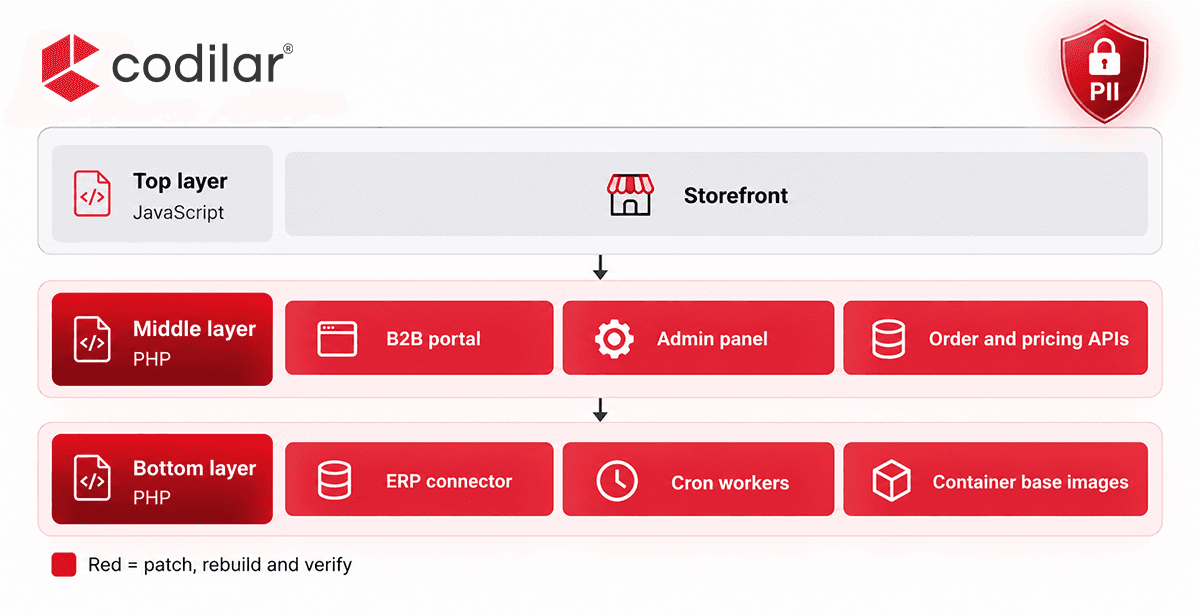
A typical commerce environment may have a JavaScript storefront at the front, PHP-based APIs and admin tools in the middle, and PHP-based integrations or scheduled workers behind the scenes.
The less visible components deserve the same attention as the storefront. Inventory each runtime, apply the appropriate fix, rebuild affected containers, and verify the results.
Updating Laravel, Symfony, CodeIgniter, or your own application framework does not fix PHP2Shell. The vulnerabilities are in the PHP runtime, which processes requests before your application code handles them.
Similarly, updating Composer dependencies or installing a framework security release does not resolve the underlying runtime flaw.
According to the technical details outlined for this issue, PHP shipped fixes for versions 8.2 and newer. PHP 8.1 and older do not receive an official release through the same support channel and may require source backports. PHP 7.3 and earlier have no fix identified in the source material.
Check the official PHP supported versions page when deciding on an upgrade path.
Older custom platforms can be difficult to upgrade because their frameworks and Composer dependencies may restrict which PHP versions they support. Moving to a newer version may require you to:
A tested backport may provide an interim solution where a full upgrade is not immediately possible. However, a long-term plan should address the underlying version constraints and maintenance risks.
Once you have identified every PHP runtime, follow a structured remediation process.
Do not rely solely on the PHP command-line version. The binary used by command-line tools may differ from the version serving web requests.
Verify the runtime through the relevant web server or application environment for every item in your inventory.
Upgrade to one of the patched versions listed in the technical guidance:
If an upgrade is not immediately possible, apply a tested vendor backport where available. Restart PHP-FPM or Apache as appropriate so the updated runtime is loaded.
Update the PHP base image, rebuild every affected container image, and redeploy it.
Updating the host does not patch a PHP runtime packaged inside an existing container. The image itself must contain the patched version.
Pay particular attention to Apache-based images using mod_php, which the PHP project identifies as the highest-risk setup.
After patching, regression-test the workflows your business depends on, including:
Confirm that the applications and integrations work as expected before closing the incident.
Do not rely solely on web application firewall (WAF) rules, hidden error messages, or the assumption that an internal application is safe.
WAF rules may not block every exploit attempt, and internal tools can still be reachable from the internet. These measures do not replace updating the affected runtime.
Applying a patch protects against further exploitation of the vulnerability, but it does not remove anything an attacker may have accessed or installed before the fix.
According to the reported findings, Amazon's honeypots recorded an exploitation attempt on 17 October, four days before the fix existed.
Review logs and system activity from 17 October onwards, particularly if any PHP runtime remained unpatched. Look for:
These indicators warrant investigation. Their presence does not automatically prove that PHP2Shell was responsible, but they should not be ignored.
The flaws allow arbitrary file reads and memory leaks. If an affected runtime was exposed, consider whether its configuration files or in-memory secrets could have been accessed.
Review and rotate database passwords, API keys, payment gateway credentials, and third-party tokens where exposure is possible.
Take extra care with application encryption keys. Rotating them without a plan can affect existing encrypted data and active sessions.
An attacker may also inject spam pages or redirects into a compromised website. These changes can damage search visibility and send visitors to unwanted destinations.
Review the Security Issues report in Google Search Console for signs of compromise. If malicious content has affected your rankings, investigate the underlying cause and address any resulting SEO issues.
Custom commerce platforms often handle customer names, email addresses, phone numbers, and delivery addresses. If these details are stored as plain text, a leaked backup, stolen credentials, or unauthorized database export can expose them directly.
Field-level encryption provides another layer of protection by encrypting selected sensitive fields rather than the entire database.
We developed PII Shield for Adobe Commerce(Magento) and apply the same approach to custom PHP platforms where appropriate.
The approach includes:
Field-level encryption does not fix PHP2Shell or replace security patching. It helps reduce the exposure of sensitive customer information if a database is copied or accessed without authorization.
It can also support a broader data protection strategy under regulations such as GDPR, CCPA, and applicable regional privacy laws.
Also read: How to Harden Your Magento 2 Database Against Unauthorized Access
PHP2Shell also gives businesses a reason to review the long-term condition of their custom commerce platforms.
The right response depends on the platform's current state, how much business value it delivers, and how difficult it is to maintain securely.
This is the most practical option for platforms already running a suitable PHP version with a well-maintained framework.
Apply the fix, investigate potential compromise, review exposed credentials, and strengthen monitoring and deployment processes.
Consider modernization when the platform still provides clear business value through unique pricing logic, B2B workflows, or specialized integrations, but its codebase has fallen behind.
The work may include moving to a supported PHP version, upgrading the framework, replacing outdated dependencies, adding automated tests, and establishing a DevOps pipeline that allows security updates to be deployed quickly.
The aim is to retain the capabilities that matter to the business while making the platform easier to maintain.
Replatforming (or migrating) may make sense when maintenance consumes a growing share of the development roadmap and much of the existing functionality is standard commerce.
Platforms such as Adobe Commerce, Magento, and Shopify Plus may handle standard commerce requirements, while custom engineering preserves the workflows that differentiate the business.
The decision should follow an assessment of technical complexity, business requirements, migration risks, and long-term maintenance costs.
At Codilar, we assess these options based on the platform's actual needs, including situations where keeping the existing system is the right choice.
With a custom PHP commerce platform, one of the biggest challenges during a security incident is knowing exactly where PHP runs and which systems need attention.
Start by inventorying every runtime. Apply the appropriate fix, rebuild and redeploy affected containers, investigate signs of compromise, and rotate credentials where necessary. Then assess whether your current platform can be maintained securely over the long term.
Codilar's engineers can map your PHP environment through a read-only assessment, with your written consent, and provide findings within 48 hours. Book your free check here!
You can also explore our platform-specific services for Adobe Commerce, Magento, and Pimcore.
No. PHP2Shell affects the PHP runtime, not the framework or application code. Upgrade to PHP 8.5.12, 8.4.27, 8.3.36, or 8.2.35, or apply a tested vendor backport where appropriate. Restart the relevant PHP workers after updating. Framework and Composer updates remain important, but they do not fix this runtime vulnerability.
Possibly. A JavaScript storefront does not itself run PHP, but the APIs, middleware, admin panels, B2B portal, and ERP connectors behind it may do so. Every PHP installation serving web requests needs to be checked before you can determine whether your environment is affected.
Yes. A container retains the PHP version packaged in its image. Updating the host server does not update that runtime. Rebuild affected images using a patched PHP base image and redeploy them. Prioritize Apache-based images using mod_php, identified in the technical guidance as the highest-risk setup.
If a PHP runtime was exposed while unpatched, assess whether its files or in-memory secrets could have been accessed. Rotate database passwords, API keys, payment credentials, and third-party tokens where exposure is possible. Plan application encryption key rotation carefully because existing encrypted data and sessions may depend on those keys.
Not necessarily. If your platform provides important business-specific capabilities, modernising it may be the better option. If maintenance is consuming development time and most of its functionality is standard commerce, Adobe Commerce, Magento, or Shopify Plus may be worth evaluating. Base the decision on a technical and business assessment rather than the vulnerability alone.

Get tailored technology solutions to scale your retail business online
Request A Quote

Stay ahead with insights, trends, and brand success stories from the world of Digital Commerce.


